InventoryPro

InventoryPro Mobile

Our Mobile Application allows for working with and managing your inventory on the warehouse floor or out at the job site. It is a web application, so there's nothing to install, and it also offers various caching and offline capabilities.

Mobile Warehousing

We aim to offer a solution compatible with a wide array of hardware, "device agnostic". This allows our clients to select hardware that fits their budget and size, be it consumer-grade or industrial-grade.

Mobile App supports both Batch and Real-Time operation, and it automatically switches modes if network connectivity is lost. The app also keeps a local cache of various system objects to allow for use offline.

For dedicated scanner information, see our Supported Scanners page. For label printing hardware, see the Supported Printers page.
Mobile App Features

Inventory Control

Receiving, Issuing, and Moving Stock. Track serials, lots, weight, age, and much more.

Barcode Scanning

We support both 1D and 2D barcoding formats, as well as RFID systems on both our desktop and mobile solutions.

Inventory Cycle Counts

Maintain accurate real-time inventory levels, with a variety of sampling methods.

Multiple Order Processing

Pick, Pack, or Putaway multiple orders at once to boost the productivity of your operators.

Offline Capabilities

Mobile allows for some offline capability when signal is lost, with basic search and transaction queue.

Order Picking and Packing

Guided processing of orders based on FEFO and FIFO, support for pathing. Just scan the next item and go!

Putaway / Stow List

Guided processing of inbound stock based on current inventory locations and defaults.

Real Time Inventory

All stock levels in Inventory Pro are real-time by default, meaning you're always up to date.

Delivery Tracking

Inbound Mailroom style tracking or Outbound Deliveries tracking using your own vehicles.

Signature Capture & Tracking

Mobile offers signature capture for transactions (single and batch). Essential for use in delivery, transfer of goods, shipment receipt, and more.

SSO - Single Sign On

Secure authentication across multiple applications, Sign in once to your network and have your account linked to Inventory Pro.

Mobile in Action

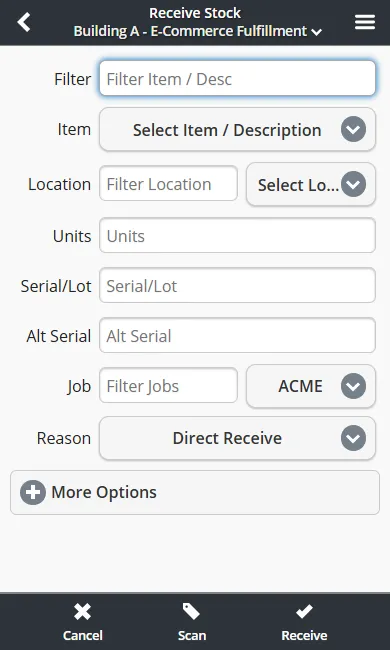
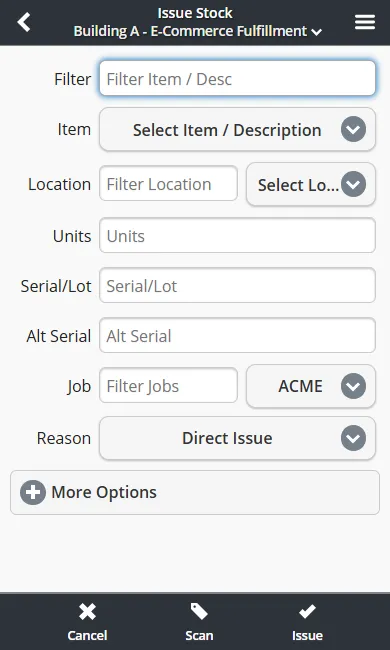
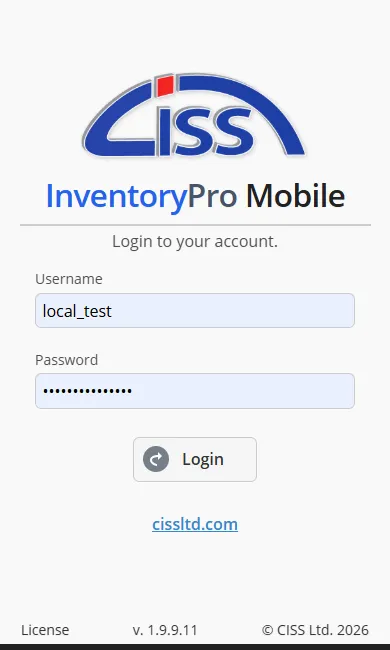
The same transactions available on desktop - receiving, issuing, cycle counting, and more - run directly on handheld scanners, phones, and tablets.

Mobile login screen with username, password, and warehouse selection fields

Login

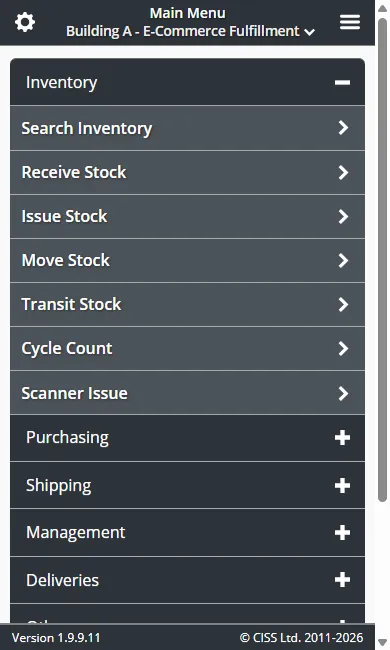
Mobile main menu showing Receive, Issue, Move, Cycle Count, and other inventory operations

Main Menu

Mobile receive stock form with item, quantity, location, and purchase order fields

Receive Stock

Mobile issue stock form with item selection, quantity, destination, and cost center fields

Issue Stock

All mobile transactions are transmitted over HTTPS with TLS 1.2+ encryption. Cloud-hosted mobile clients use the same isolated instance model as desktop -- your data stays separate from other organizations. See our Privacy & Data Policy for details.

Inventory Pro is built on

And designed for

Manage Inventory Professionally.

Learn more about Inventory Pro and our capabilities. From small business to industrial warehousing, our software can scale and adapt to various industries.

Inventory Pro Barcoding Features Integrations Mobile App Free Tools