EDI X12 Document Exchange
Automate order processing and warehouse operations with standard EDI document exchange between InventoryPro and your trading partners.
Standard X12 Document Support
InventoryPro processes standard EDI X12 transaction sets used across retail, distribution, and 3PL operations. The 850 (purchase order) and 940 (warehouse shipping order) are the most commonly deployed, but we configure additional document types based on what your trading partners require.
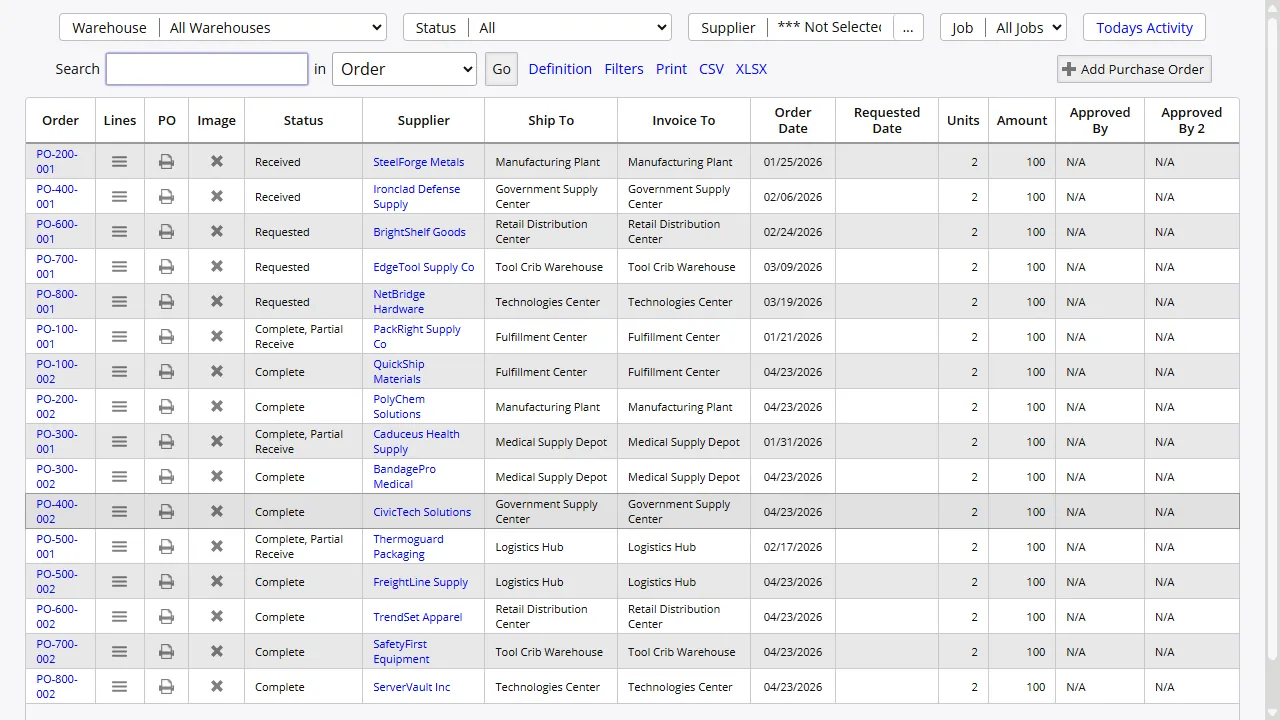
Inbound documents are parsed, validated, and converted into native InventoryPro records automatically. An 850 from a customer becomes a sales order your warehouse team can pick and ship. A 940 from a 3PL client creates a shipping instruction with all the detail needed to fulfill it. Your team works with standard InventoryPro screens - they do not need to understand EDI formatting.
Flexible Delivery Methods
InventoryPro's EDI subsystem operates as a Windows Service that monitors designated file directories for inbound documents and writes outbound documents to a pickup folder on a configurable schedule. This file-based architecture means it works with whatever transport your trading partners require - AS2 gateways, FTP/SFTP servers, VAN connections, or simple shared network folders all feed into the same processing pipeline.
The parser accepts X12 formatted documents as well as Excel (XLS, XLSX) and CSV files, covering both standard EDI exchanges and partners who provide data in spreadsheet formats. Each trading partner's file format and folder location is configured independently, so adding a new partner does not affect existing connections.
Trading Partner Onboarding
Adding a new trading partner involves configuring document maps, setting up the delivery connection, and testing the exchange end-to-end. Our team handles this process, working directly with your partner's IT staff to ensure documents parse correctly and data lands in the right fields on both sides.
We have onboarded partners across retail, defense, healthcare, and distribution sectors over more than two decades. Each new partner benefits from the document mapping templates and validation rules we have refined through hundreds of prior implementations.
Automated Processing
Once configured, EDI document exchange runs without manual intervention. The service polls the inbound folder on a configurable interval, parses new files, validates the data, and creates the corresponding InventoryPro records. On the outbound side, records that have changed since the last processing cycle are exported to the outbound folder for your trading partners to collect.
Error handling flags documents that fail validation for review without blocking the rest of the batch. Your team is notified of exceptions so they can resolve data issues quickly, and successfully processed documents are logged for compliance and audit purposes.
Set Up EDI for Your Trading Partners
Our team manages the full EDI onboarding process - document mapping, connection setup, and partner testing. Contact us to discuss your trading partner requirements.