Enterprise Warehouse Management System
Organize, optimize, and scale warehouse operations across every facility in your network.
Multi-Warehouse Operations
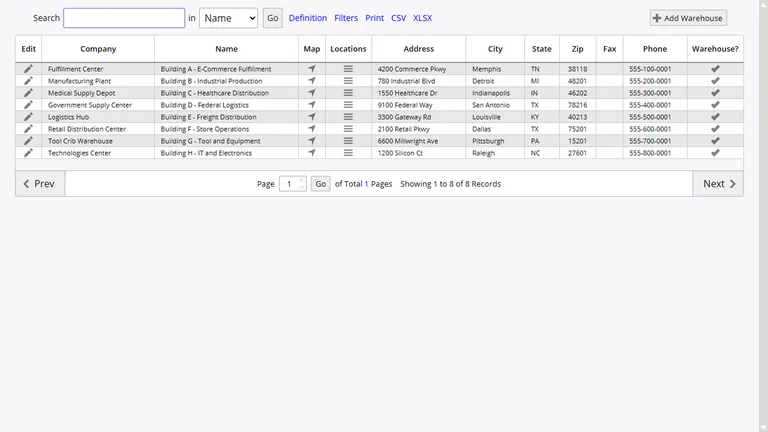
InventoryPro supports unlimited warehouses, each with its own location hierarchy, restocking parameters, barcode configurations, and operational settings. A warehouse can be designated as ship-from, ship-to, or both.
- Per-warehouse access controls by security group
- Independent location hierarchies per facility
- Supports government, 3PL, and distributed networks
Location Hierarchy and Bin Management
Within each warehouse, InventoryPro maintains a structured location system that mirrors your physical storage layout. Locations are organized in a hierarchy of zones, aisles, racks, shelves, and bins, with standardized codes for consistent identification across your operation. Each location carries its own capacity constraints, operational parameters, and integration settings for picking and putaway systems.
Location barcodes can be printed directly from the system, enabling scanner-based confirmation during receiving, putaway, and picking operations. Parent-child relationships between locations allow your team to manage complex storage configurations such as multi-level racking, mezzanines, or climate-controlled sections while maintaining a clean, navigable location master.
Warehouse Maps and Zone Configuration
InventoryPro models your physical floor plan digitally. Zones, aisles, and storage areas are defined within the map to support pick-path optimization and directed putaway. Operators receive pick lists sequenced by the most efficient route through the mapped layout.
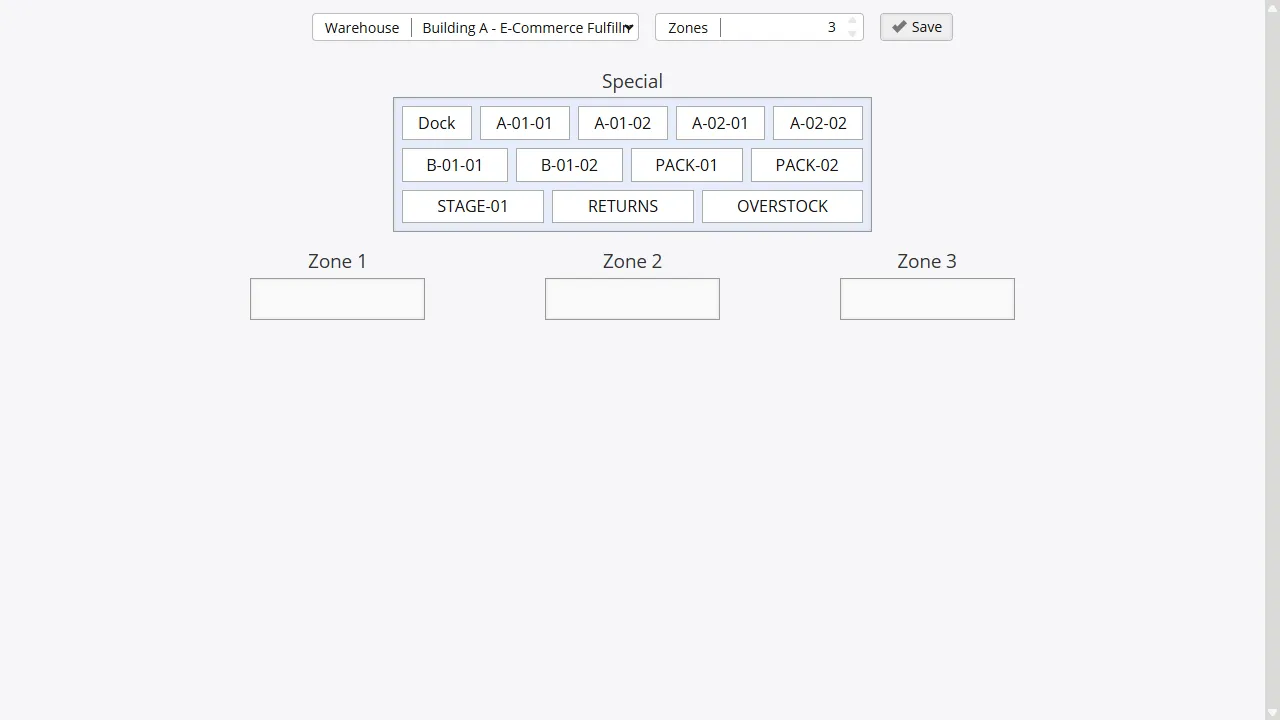
Scales from a single facility with a few hundred bins to distribution centers managing tens of thousands of locations. Zone rules direct inbound stock to optimal storage areas based on item characteristics, velocity, or temperature requirements.
Guided Picking, Packing, and Putaway
Order fulfillment in InventoryPro follows a guided workflow that directs operators through each step of the pick, pack, and ship process. Pick lists are generated with location-sequenced instructions based on FEFO and FIFO allocation rules, ensuring that the oldest or soonest-expiring stock is selected first. Operators can scan barcodes at each location to confirm picks, reducing errors and maintaining inventory accuracy.
For inbound stock, guided putaway lists direct operators to optimal storage locations based on item defaults, current inventory positions, and zone assignments. Multi-pick processing allows your team to handle multiple orders simultaneously, consolidating picks by location to minimize warehouse traversals. Packing workflows move items through a packed status that requires explicit ship or return actions before inventory is finalized.
Pick-Path Optimization
Pick lists ordered by warehouse zone and location sequence to minimize operator travel time per order.
Multi-Pick Processing
Consolidate picks across multiple orders to increase throughput during high-volume fulfillment periods.
Guided Putaway
Direct inbound stock to optimal locations based on item defaults, zone rules, and current storage utilization.
Packing Workflows
Move picked items through pack verification before shipping, with label printing and ship confirmation.
Item-to-Warehouse Assignment
Not every item belongs in every facility. InventoryPro provides a warehouse assignment system that controls which inventory items are enabled for receiving, storage, and fulfillment at each location. Assignments can be managed individually or in bulk, with visual indicators showing which warehouses currently hold active stock for an item.
Built-in safeguards prevent accidental removal of items from warehouses that hold existing inventory, protecting against data integrity issues that could disrupt active orders. Assignment changes are validated in real time and integrated with procurement and ordering systems so that purchase orders and shipping orders reflect the correct facility availability.
Inter-Warehouse Transfers and Transits
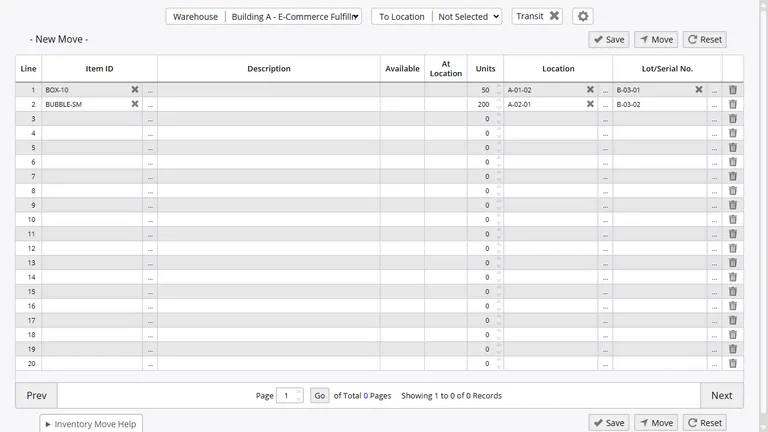
The InventoryPro transit system tracks shipments between warehouses with status updates at each stage. Transfer documentation is generated automatically and linked to audit trails at both facilities.
Dispatched
In Transit
Received
How We Compare
See how Inventory Pro stacks up against alternatives:
Optimize Your Warehouse Operations
Our team will analyze your current facility layout and operational workflows to recommend a configuration tailored to your throughput requirements.