Data Import, Export, and Integration
Move data in and out of Inventory Pro efficiently with bulk import tools, export templates, and API connectivity.
Bulk Import System
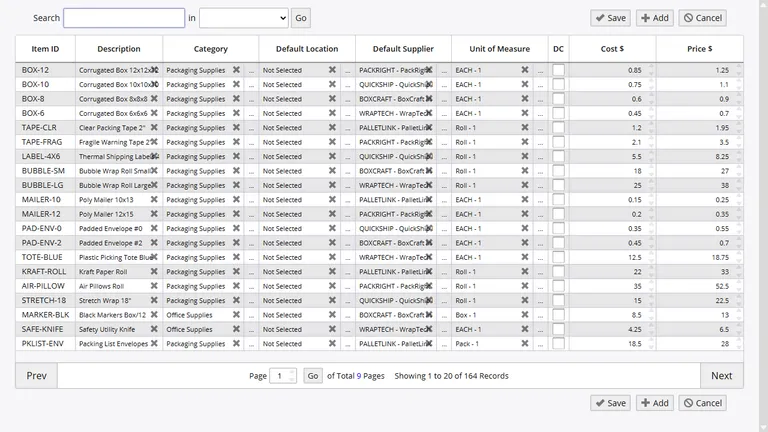
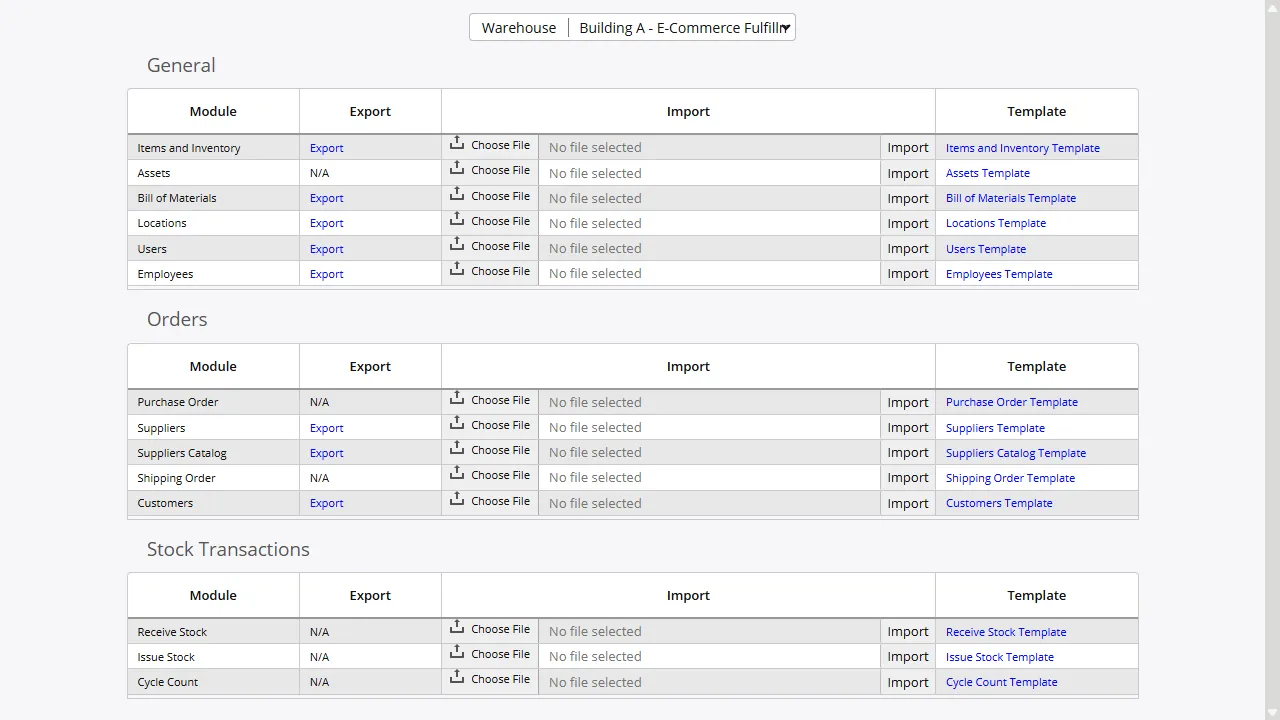
InventoryPro provides a unified import interface supporting more than 16 data types. Whether migrating from another system, loading supplier catalog updates, or importing cycle count results, the framework handles it through a consistent upload, validate, and commit workflow.
- CSV, XLS, and XLSX with downloadable templates
- Row-level validation with detailed error reporting
- Full audit log: user, timestamp, and record count
Inventory and Master Data
- Inventory items and stock levels
- Assets (serial, type, supplier, location, cost)
- Bill of materials and kitting definitions
- Warehouse locations
- Supplier and customer records
- Supplier catalogs and price levels
- Users and employee records
Transactions and Orders
- Purchase orders and quick POs
- Shipping orders
- Issue transactions
- Receipt transactions
- Inventory transfers (transit)
- Cycle count data
Export and Template Generation
The export framework generates downloadable Excel templates for each importable data type, pre-populated with the correct column headers and formatting. These templates serve both as import guides and as export mechanisms - warehouse locations, BOM structures, user lists, and employee records can be exported to Excel for review, modification, and re-import.
Beyond the import/export interface, all reports in InventoryPro support export to Excel-compatible CSV format. This means any of the 260+ standard reports can be exported for analysis in external tools, integration with business intelligence platforms, or inclusion in management presentations. Report exports respect the same permission controls as on-screen access, ensuring that sensitive data cannot be extracted by unauthorized users.
API and System Integrations
InventoryPro offers a REST API for querying inventory data, processing transactions, and synchronizing records with external systems. API access uses the same security model that governs application access.
Pre-built integrations include Sage 50, QuickBooks, UPS WorldShip, WooCommerce, EDI X12, Active Directory, Okta, and smart card SSO. Custom API solutions are available for requirements beyond standard integrations.
Import Security and Audit Logging
Import access is governed by a dedicated security permission, ensuring that only authorized users can upload data into the system. Every import operation records the user, timestamp, file processed, and row-level outcomes in a searchable import log. For organizations subject to data governance requirements, this audit trail demonstrates exactly what data entered the system, when, and by whom.
Plan Your Data Migration
Our team handles data migration and integration setup during implementation. Contact us to discuss your current systems and data format requirements.